
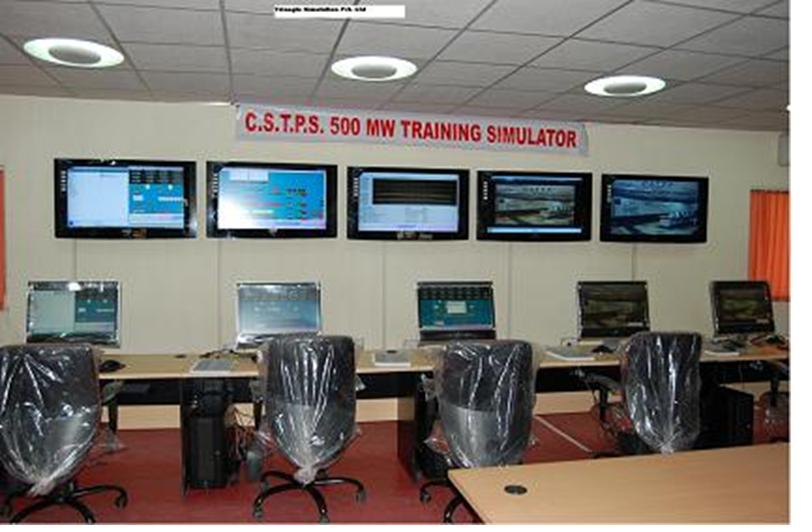
Simulators, models and the hardware that goes with them.
Operator training simulators for working plants, PC-based process control trainers for laboratories, and computer-based training modules for equipment that cannot be taken out of service.
One instructor station. Every operator console. Your plant’s dynamics underneath.
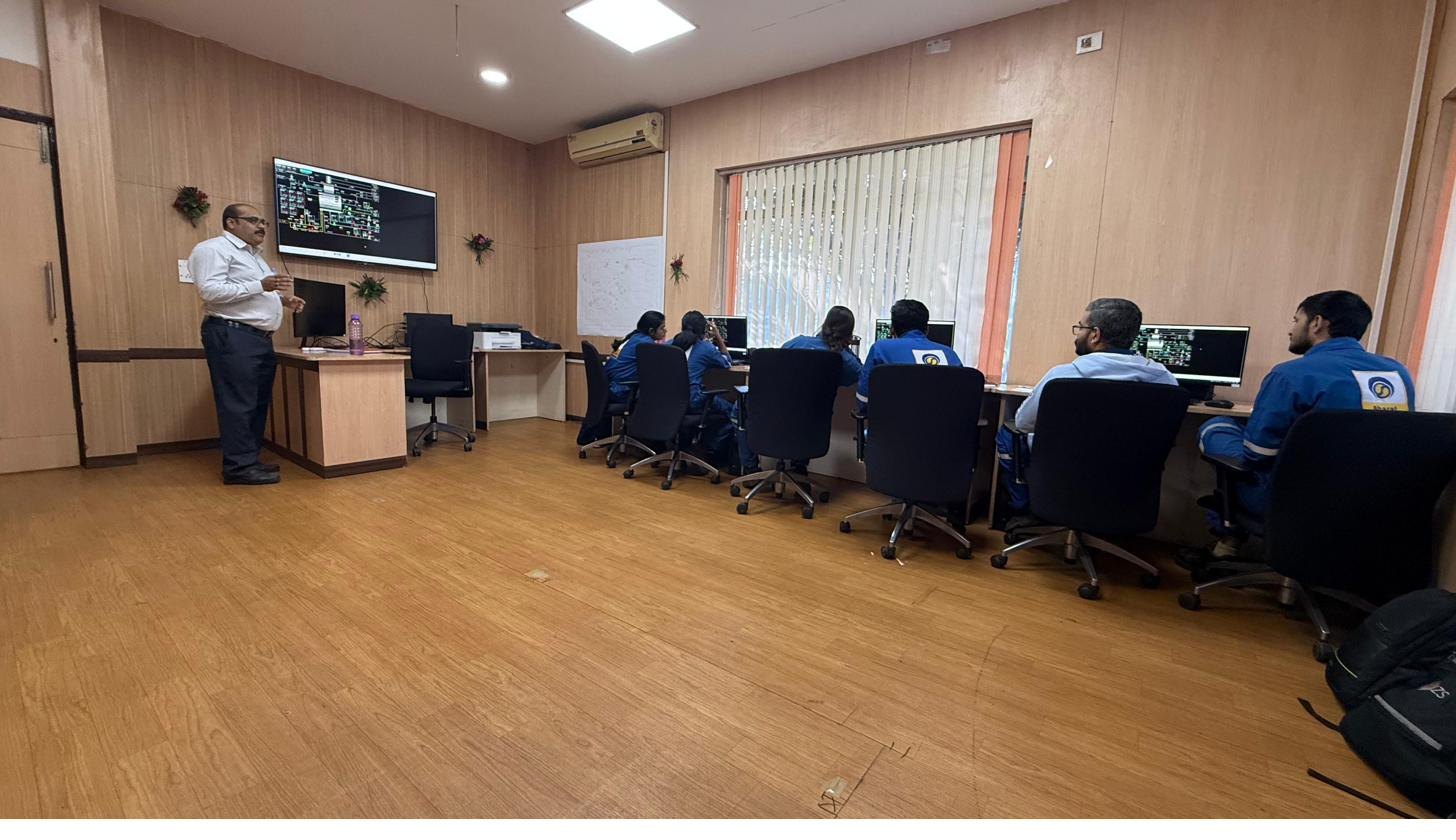
The suite ships in two architectures. Uni-Op puts the instructor and the operator at the same console for classroom and academic use. Multi-Op runs a model server with independent or shared operator action consoles, so a crew learns to co-ordinate exactly as they would in a real DCS control room.
Ten sectors, all represented by delivered work.
- 01
Process control
Fundamentals: level, flow, pressure, temperature, cascade and ratio loops.
- 02
Refining
CDU/VDU, FCCU with gas concentration, sulphur recovery, catalytic reformer.
- 03
Gas processing
Feed gas drying, cold box, LEF/LPG/NG handling.
- 04
Upstream operations
Gas–oil separation, glycol and water injection systems.
- 05
Fertilizers
Ammonia and urea synthesis, purification, reforming, recirculation.
- 06
Chemicals
Reactors, absorption, desorption, hydrolysis, crystallisation.
- 07
Petrochemicals
Distillation trains, separation and downstream unit operations.
- 08
Power & utilities
210 MW and 500 MW coal-fired units, 40 MW hydro, balance of plant.
- 09
Metals
Furnace and utility modules adaptable to metallurgical process trains.
- 10
Bio & food processing
Evaporation, drying and separation duties common to bioprocess plants.
What arrives when a simulator is delivered.
Real-time process model
First-principles dynamic models running in real time, with variable time scale so an instructor can compress a twelve-hour startup or slow a fast transient down to watch it.
Operator action console (OAC)
The window the operator works through — animated mimics with setpoint, output and process value, trend and bar pages, alarm handling and tabular data display.
Instructor console
Session control: initial conditions, malfunctions and their severity, freeze, snapshot, speed control, backtrack, and logging of both instructor and trainee actions.
DCS emulation or direct connect
Emulated operator stations for Honeywell TDC-3000, ABB, Yokogawa and generic DCS, or a direct connection to a real console where the plant’s own hardware is available.
Simulator hardware
Look-alike DCS keyboards, touch screens and DCS-style cabinets, or a one-to-one emulated panel for plants still operating from conventional control panels.
Documentation, licence & support
Functional design specification, model documentation, operating manuals, software licences, instructor training and warranty support.
Three architectures. Pick the one that matches how your people work.
One instructor teaching one trainee is a different system from one instructor watching a whole shift co-ordinate. Select an architecture to see how the signals run.
Uni-Op
Instructor console and operator console are the same machine.
The simplest configuration, and the right one for teaching laboratories, single-workstation training rooms and academic use. One person loads the model, runs it and works the controls.
Best suited to
Academic institutions, training cells, individual study
Multi-Op 01
Independent models, one instructor.
Each operator console runs its own copy of the plant model. The instructor loads initial conditions, inserts malfunctions on individual consoles and records each operator’s actions separately — so a class of trainees can work simultaneously without interfering with each other.
Best suited to
Classroom batches, competency assessment
Multi-Op 02
One shared model, a whole crew.
All operator consoles share a single plant model served from the model server. Operators must co-ordinate with each other to run the plant, exactly as a shift does in a real DCS or SCADA control room. This is the configuration that trains crews rather than individuals.
Best suited to
Shift crew training, startup and emergency drills
The instructor runs the plant that the trainee thinks they are running.
Every function below exists in the delivered product. Together they turn a model into a teaching instrument.
- 01Malfunctions
- A multi-page display lets the instructor insert failures — a pump trip, a valve stuck at a given percentage opening — and set the severity of each.
- 02Backtrack
- The simulator saves model variables as initial conditions at intervals of one minute, so a session can be rewound and replayed from just before the mistake.
- 03Initial conditions
- Load any saved plant state: cold, hot standby, part load, full load, or a snapshot taken mid-exercise.
- 04Freeze & time scale
- Pause the plant to explain what just happened, or speed up and slow down simulation time.
- 05Snapshot
- Capture the current plant state at any moment and return to it later.
- 06Pre-programmed malfunction sequences
- Build a drill once, then run the identical scenario with every shift.
- 07Instructor logging
- Insertion and deletion of malfunctions, freeze, speed changes — all recorded.
- 08Trainee logging
- Setpoint changes, controller outputs, control mode switches and pump operations, printable on demand.
- 09Performance evaluation
- Trainee actions tracked and sorted against the training variables the instructor selected, with the history visible on the trend display.
- 10Alarm reporting & event logs
- Full alarm and event history for review during debrief.
Models already built, tested and delivered.
If your unit appears below, most of the engineering is done. If it does not, we build it from your data — the process is the same either way.
Thermal power plants
5- 210 MW power plant — ABL & BHEL boiler
- 210 MW power plant — KWU & LMZ turbines
- 500 MW power plant
- 40 MW hydro power plant
- Balance of plant modules
Refineries
6- Crude distillation unit (CDU)
- Vacuum distillation unit (VDU)
- Fluidised catalytic cracking unit (FCCU)
- Sulphur recovery unit (SRU)
- Catalytic reformer
- MEK dewaxing
Oil & gas
5- LEF, LPG & NG
- Cold box
- Feed gas drying system
- Gas–oil separation system
- Glycol / water injection system
Ammonia & urea
7- Ammonia synthesis
- Purification
- Reforming
- Urea synthesis
- Evaporation
- Recirculation
- Absorption, desorption & hydrolysis
Pulp & paper
4- Digester plant
- CEH / DED bleaching plant
- O₂ bleaching plant
- Multi-effect evaporation plant
Academic unit operations
20- Level & flow control
- Temperature & pressure control
- Level control in coupled tanks
- Three-element boiler control
- Stirred tank reactor
- Centrifugal pump
- Multi-effect evaporator
- Pressure control in different sized vessels
- Heat exchanger
- Filtration
- Compressor utilities
- Superheated steam generator
- Absorption
- Binary distillation — benzene & toluene
- Rotary drier
- Catalytic reformer
- Crystalliser
- Cyclone separator
- Multi-component flash calculation (6 components)
- Furnace modules — circulating fluidised bed boiler
Training happens on the interface your operators already use.
| Platform | Mode | Note |
|---|---|---|
| Honeywell TDC-3000 | Emulation & direct connect | Look-alike keyboard supported |
| ABB Procontrol P13 | Emulation | Delivered on the 500 MW CSTPS simulator |
| Yokogawa | Emulation | Delivered on the Saudi Arabia ammonia/urea project |
| Generic DCS | Emulation | Vendor-neutral HMI for multi-vendor sites |
| Conventional panel | One-to-one panel emulation | For plants still on hard panels |
| SCADA | Supervisory interface | Used across the lab-scale trainer range |
| Siemens PLC | Direct hardware | Supplied with pneumatic and PLC trainer kits |
Real rigs, real instruments, under PC control.
Each trainer is a working process with transmitters, I/P converters and pneumatic control valves, driven from a PID controller or from SCADA on the PC.
12 in this range
- Level control trainer
- Flow control trainer
- Cascade control trainer
- Ratio control trainer
- pH control trainer
- Pressure control trainer
- Temperature (thyristor) control trainer
- Multi-process control trainer
- Multi-variable level control trainer
- Interacting & non-interacting system trainer
- Control valve characteristics trainer
- I/P & P/I converter trainer
7 in this range
- Heat exchanger control trainer
- Distillation column control trainer
- Extraction / leaching column trainer
- Evaporation (single & multi-effect) trainer
- Batch reactor control trainer
- Continuous stirred tank reactor trainer
- Packed bed reactor trainer
11 in this range
- Distributed control system (DCS) trainer
- PLC kit & PLC application trainer
- PID controller trainer — COMPUREC ST-2001
- Hydraulic trainer
- Pneumatic trainer
- SCR trainer kit
- Temperature calibration trainer kit
- Armature-controlled DC servo motor
- Field-controlled DC servo motor
- Second order trainer kit
- Synchro transmitter & control transformer trainer kit
4 in this range
- Bubble cap distillation column setup
- Solid–liquid extraction (leaching) column setup
- Innovative coiled type heat exchanger control system
- Packed bed column
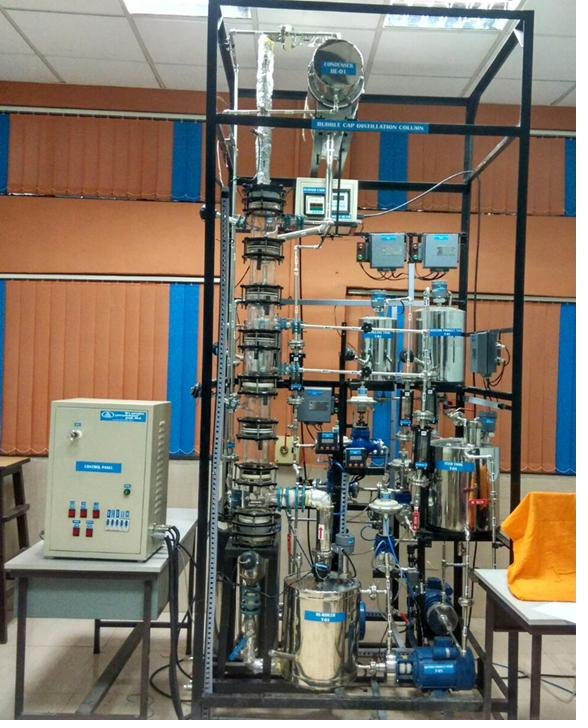
Bubble cap distillation pilot plant delivered to RCF Limited, Mumbai — seven control loops running simultaneously under SCADA supervision.
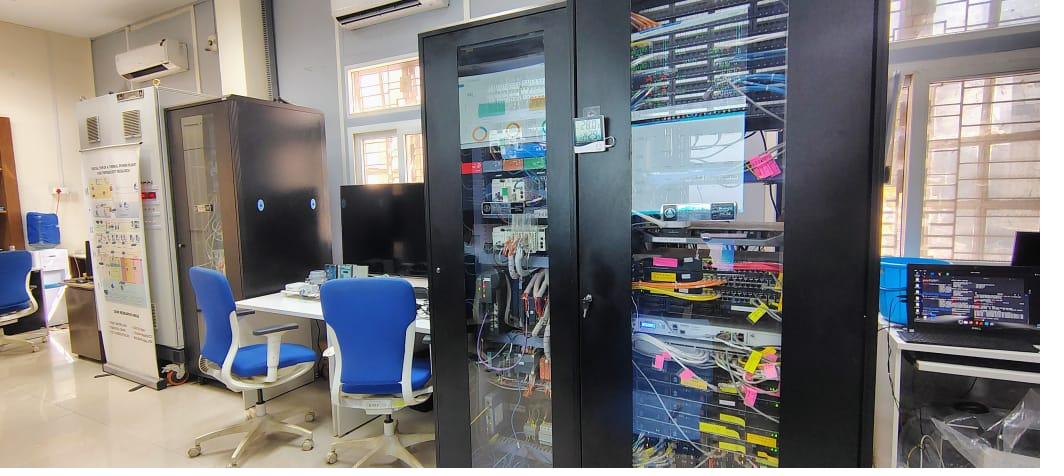
Real devices, simulated plant.
Physical transmitters, controllers and final elements exchange signals with a mathematical model running in real time. The hardware cannot tell the difference — which is exactly the point. Delivered as a 500 MW thermal testbed to VJTI and a 40 MW hydro testbed to the Central University of Jammu.
Courseware for equipment a trainee cannot practise on freely.
A computer-based training module teaches one system — how it is built, how it is operated and what to do when it misbehaves — as self-paced courseware running on an ordinary PC. It suits equipment that must be understood thoroughly but cannot be tied up for training: shipborne electronics, navigation and landing aids, defence systems and specialised instrumentation.
System walkthrough
Animated screens covering the equipment, its subsystems and how signals move between them.
Operating procedure
Step by step operation, with the trainee working the controls on screen rather than watching a recording.
Fault handling
Common faults and alarms — what they look like on the equipment, and what the operator is expected to do about them.
Self-paced and repeatable
Runs on a standard PC, one trainee at a time, as often as needed. No instructor required and no equipment taken out of service.
Assessment
Questions and exercises at the end of each topic, so a trainee’s understanding can be checked rather than assumed.
Built from your documentation
Written from the equipment’s own manuals, drawings and operating procedures, so the courseware matches the hardware actually in service.
- HVLAS
Helicopter Visual Landing Aid System
Supplied to Elcome · Marine & Defence
- NADSB
Naval Automatic Dependent Surveillance Broadcast
Supplied to Elcome · Marine & Defence
Both modules were built for marine and defence electronics. The same approach applies to any system a trainee has to know thoroughly but cannot take out of service to learn on.
Discuss a CBT moduleA model is only as good as the data behind it.
This is the full list. Gaps are workable — we will tell you which ones affect fidelity and which do not.
Design data
- Specifications of all equipment — sizes and physical characteristics
- Equipment location and elevation
- Process flow and piping & instrumentation diagrams
Equipment characteristics
- Control valve characteristics and sizing
- Pump and rotary equipment curves
- Heat exchanger and column internals data
Operating data
- Five sets of operating data at different load conditions
- Startup and shutdown procedures
- Trip logic, interlocks and protection settings
Property data
- Chemical and component property data
- Feed and product specifications
- Utility conditions
Control system
- DCS or panel graphics and faceplate layouts
- Controller tuning parameters
- Alarm and annunciator schedules
What a plant gets out of it.
Competence before the console
New operators arrive on shift having already run startup, normal operation and shutdown on the model.
Emergency response that has been practised
Trips, runaways and failures are rehearsed deliberately instead of encountered for the first time at 3 a.m.
Plant availability protected
No capital equipment is put at risk and no unit comes off the bar to create a training opportunity.
Safer operating procedures
Simulator use promotes correct procedure, and reveals where written procedures do not match plant behaviour.
Assessment on evidence
Logged and scored trainee actions give training records that stand up to audit.
Knowledge that outlasts the crew
Scenarios written from experienced operators’ knowledge stay available after they retire.
What a department gets out of it.
Plant exposure without a plant
Students see real unit operations behaving dynamically, which no static lab bench can show.
Analytical skill, not recipe-following
Trainees must diagnose an upset and reason about a response rather than follow a worksheet.
Control theory made tangible
P, PI, PD and PID behaviour, auto and manual modes, direct and reverse action, and tuning — observed rather than derived on paper.
Instrumentation practice
Transmitters, I/P converters, pneumatic control valves and sensors handled as real equipment on the lab trainers.
Employability
Graduates enter industry already familiar with DCS and SCADA-controlled operation.
Curriculum fit
Modules map onto standard chemical, instrumentation and control engineering syllabi.
Send us the unit and the control system.
With those two facts we can usually tell you within a day whether the model already exists, what it would take to build, and roughly what it costs.